Configure Service Level Markups
Margins can be easily configured based on business needs. The margins can be set by Global, Carrier, or Service. It is recommended that you select one of the modes below for your location.
Important Notice
We have grouped markups into Global, Carrier, and Service levels. The effects are cumulative. We have also organized them into Easy, Intermediate, and Expert levels.
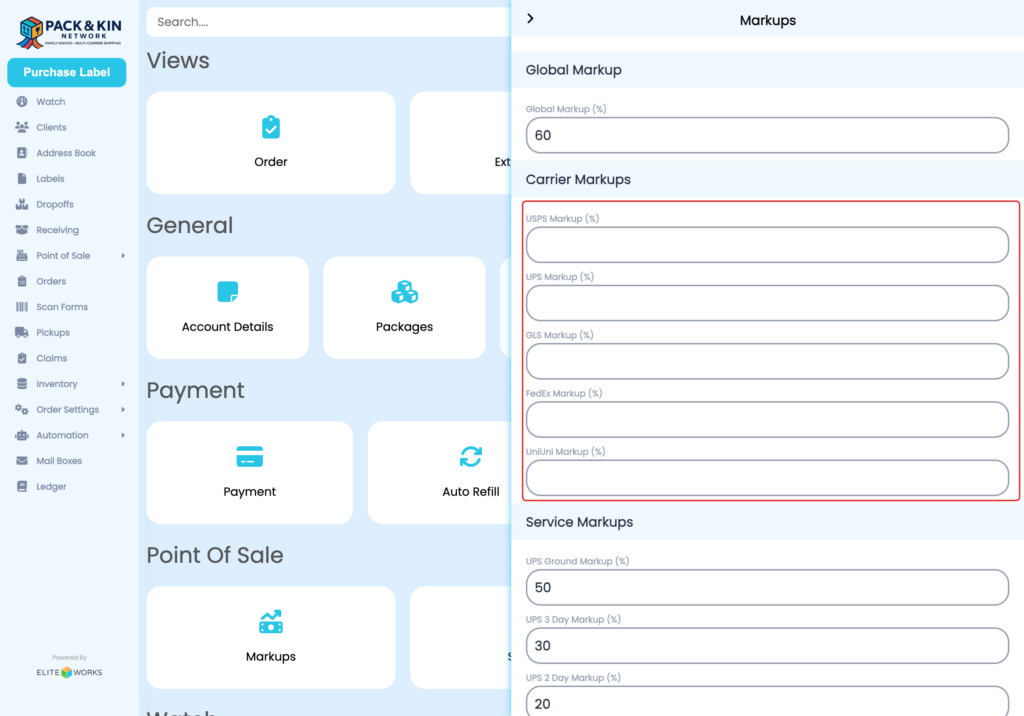
Easy Level – Also known as Global Markup. This field applies a flat markup percentage to all labels.
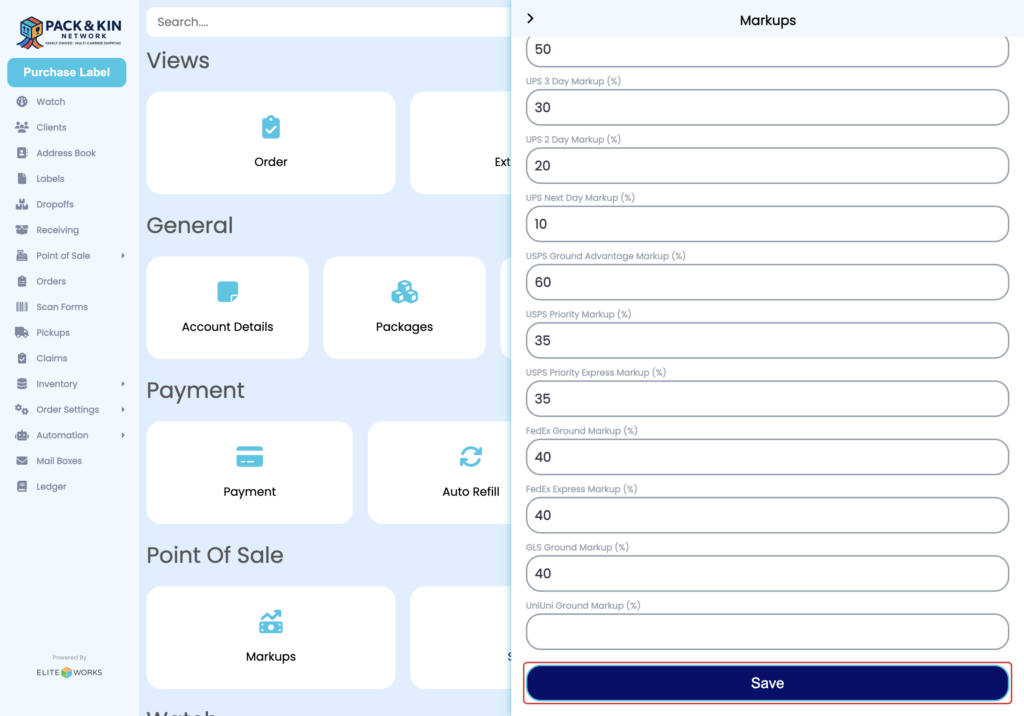
Intermediate Level – Also known as Carrier Markup. A flat markup is applied on a per-carrier basis.
Expert Level– Also known as Service Markup. These markups are applied directly to each service.
Review the steps below to apply markups for mail services within the Pack and Kin Software.
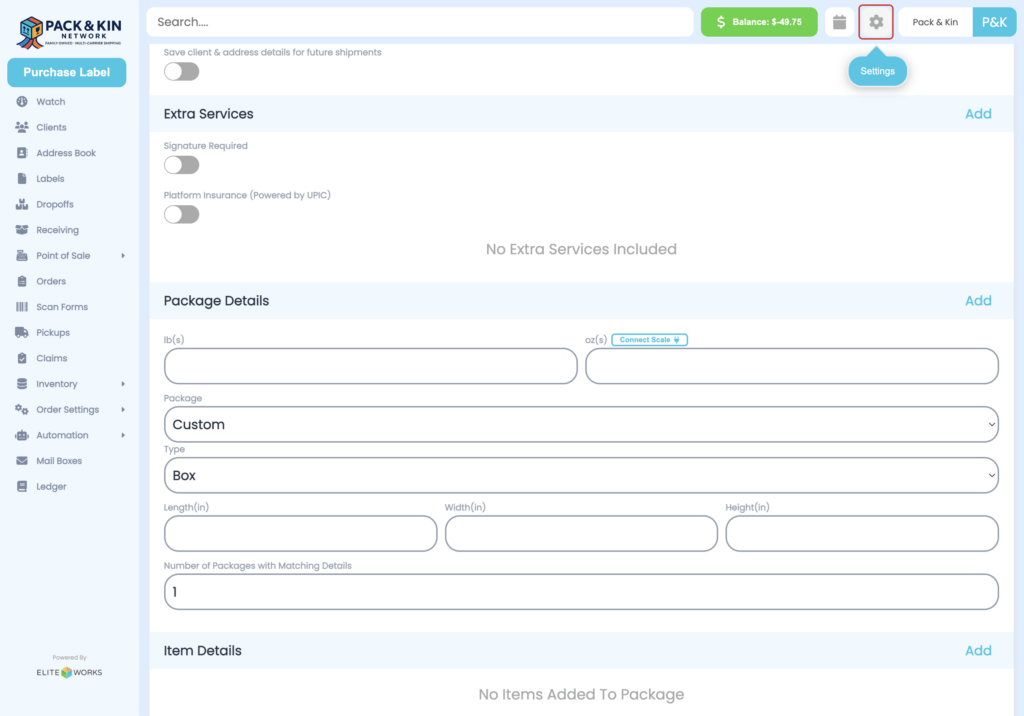
1. Select the Settings icon in the top right corner of the screen.
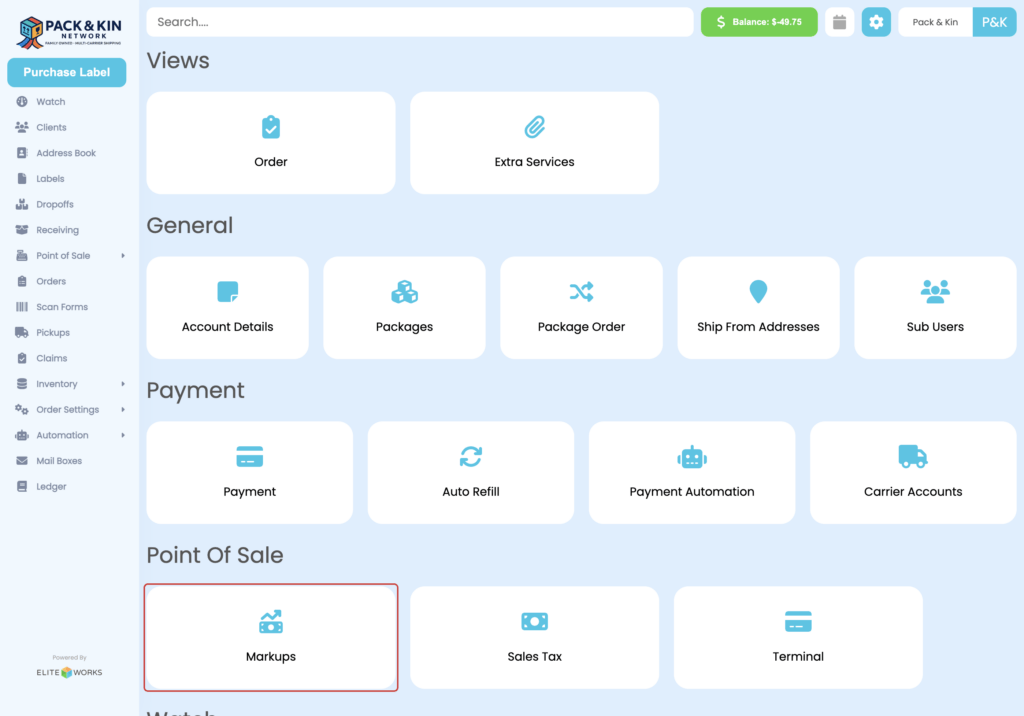
2. Click on Markups under the Point of Sale options.
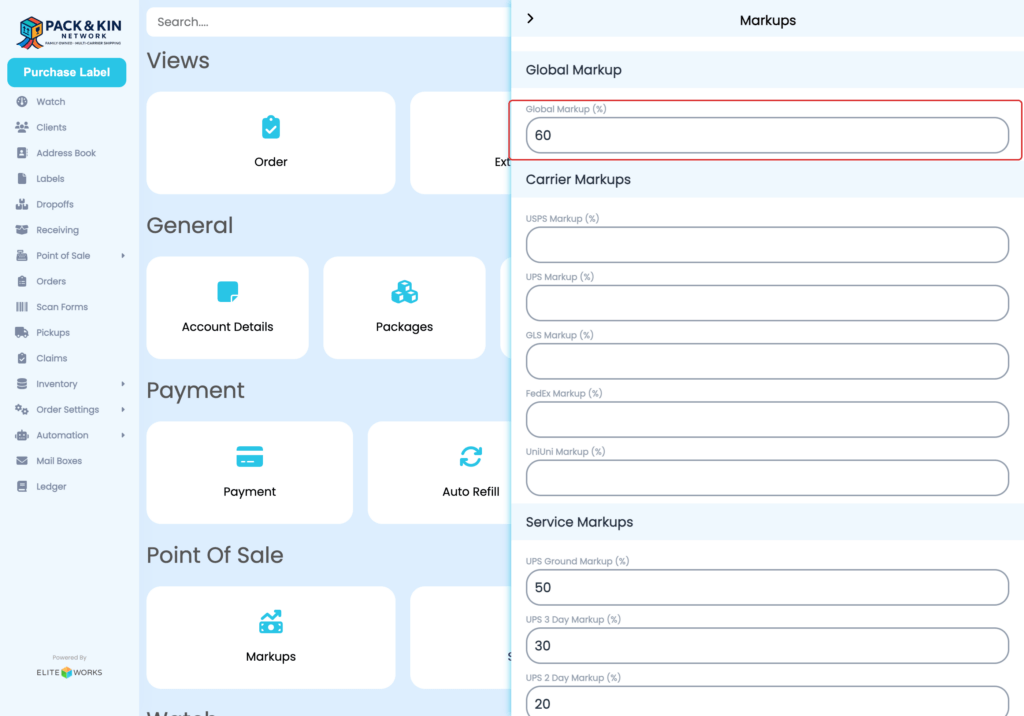
3. Easy Mode – Enact a Global markup, enter a percentage into the designated field.
4. Intermediate Mode – Enact a Carrier markup, enter a percentage into the designated field for each Carrier with enabled accounts.
At this time, the Pack & Kin software can easily adjust carrier rates for:
- Fedex
- UPS
- United States Postal Service
- UniUni
- GLS
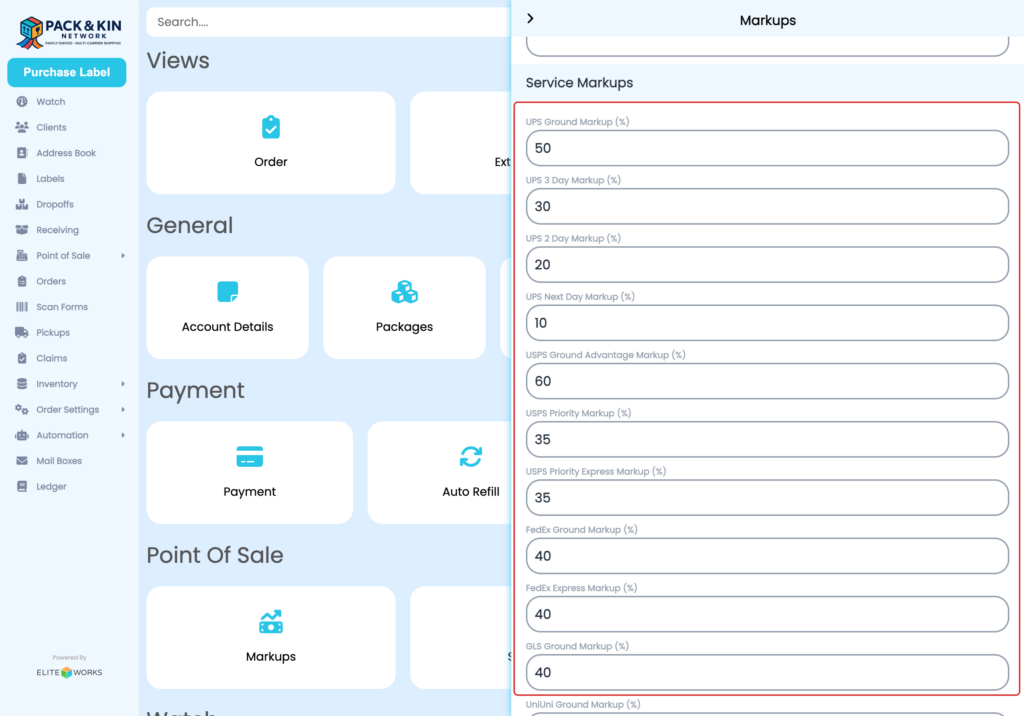
5. Expert Mode – Adjust Service markups, enter a percentage into the designated field for each Carrier with enabled accounts.
Service markups allow Pack & Kin users to adjust markups for individual services by carrier.
6. Once all fields designated fields have been entered, select Save to apply markups to the account.